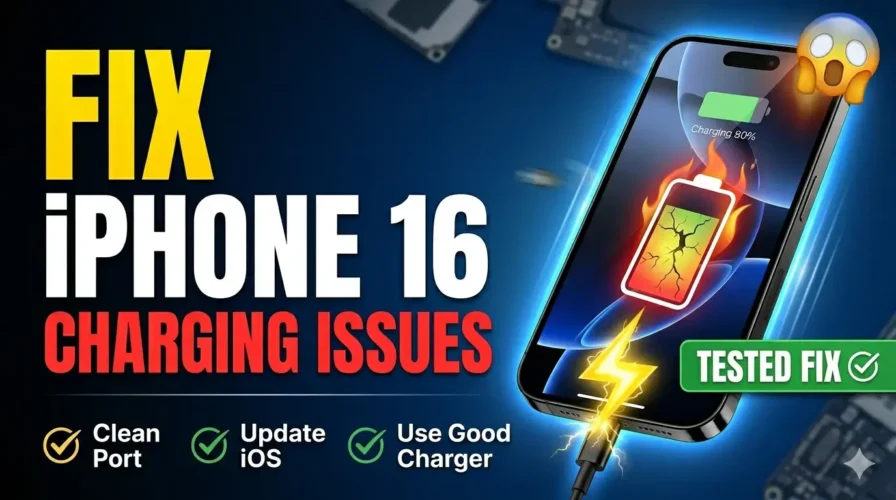

iPhone 16 Charging Issues: 5 Fixes for Slow Charging & Heat

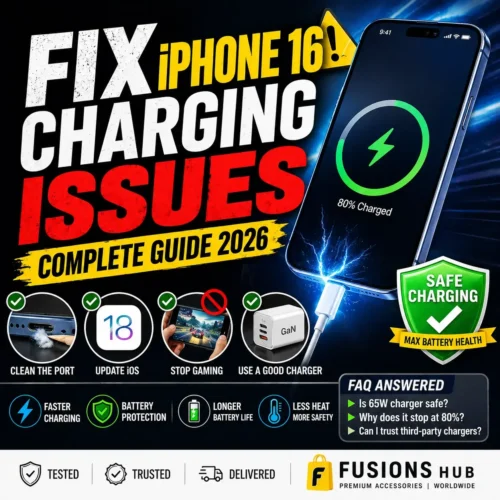
iPhone 16 Charging issues? Why Your New Phone is Heating Up & How to Fix It
Let’s be honest for a second. You just dropped a massive amount of cash on the new iPhone 16 or 15. You were excited about the USB-C port, thinking life would be easy. But then reality hits. You plug it in, and you see that annoying “Slow Charger” warning. Or worse, the phone feels like a hot potato in your hand while you’re just trying to scroll through Instagram.
I’ve been seeing these iPhone 16 charging issues all over Reddit and tech forums lately. People are frustrated, and honestly, they have every right to be. Is it a hardware flaw? Is Apple “throttling” us again? Actually, it’s usually just a mismatch of old tech trying to power new, hungry devices. Let’s fix this mess once and for all. Fusions Hub
1. Why is my iPhone 16 charging issues so slow?
If you’re seeing that “Slow Charger” message on your lock screen, it’s usually because of the 20W trap. Most people are still using their old Apple 20W bricks or, even worse, the ancient 5W cubes. In 2026, that’s just not enough for a Pro Max battery.
Another big culprit? The cable. Not all USB-C cables are the same. If your cable doesn’t have an “E-Marker” chip, your iPhone might refuse to take more than 10W to protect itself. You can find original, certified cables on Walmart’s Tech Section or browse reliable deals on eBay’s Accessories.
2. Heat: The Real Reason for iPhone 15 Slow Charging
iPhones have a built-in safety feature called Thermal Throttling. If the battery gets too hot, the charging speed drops to a crawl. Standard silicon chargers (the old bulky ones) waste a lot of energy as heat, which travels right up the cable and into your phone.Fusions Hub
This is where GaN (Gallium Nitride) technology changes everything. GaN chargers are 30% smaller and stay way cooler because they are more efficient. If your charger stays cool, your phone stays fast. Brands like Anker and Ugreen are leading this on Amazon’s Best Sellers.
3. The Secret Fix: Use a High-Wattage GaN Adapter
In 2026, the best GaN charger for iPhone 16 Pro Max is usually a 65W brick. Why? Because it can power your MacBook and fast-charge your iPhone safely at the same time.
Safe: The phone only draws the 27W-30W it needs; the rest stays “in the brick.”
Reliable: You won’t get those “Accessory not supported” pop-ups.
Pro Tip: Look for “PD Certified” tags on Etsy’s Handmade Tech Organizers to keep your high-end gear safe while traveling
4. Quick Fix Checklist for 2026
Before you go out and buy a new battery, try these:
Clean the Port: Pocket lint is the #1 reason for charging errors. Use a wooden toothpick (be gentle!) to clear out the USB-C port.
Update iOS: Apple often releases patches for iPhone overheating while charging in their iOS 18/26 updates.
Stop Gaming: Seriously, don’t play heavy games while fast charging. It’s the fastest way to kill your long-term battery health.
5. FAQ: What you actually need to know
Is it safe to use a 65W charger on iPhone? Yes. Your iPhone is smart. It won’t “overdose” on power. For a deeper look at the science, check our previous guide on 65W vs 18W charging safety.
Why does my phone stop at 80%? That’s “Optimized Battery Charging.” It’s trying to help your battery last 3+ years. It’s a feature, not a bug!
Can I trust third-party chargers? Only if they are reputable. A $5 unbranded brick from a random eBay seller is a gamble you shouldn’t take with a $1,000 phone.
The Bottom Line
Don’t let a slow charger ruin your iPhone experience. The iPhone 16 charging issues are annoying, but usually, a simple switch to a solid GaN adapter from Amazon, Walmart, or eBay fixes everything.
For my followers in Pakistan who are tired of “fake” original chargers, we’ve got the latest tested GaN chargers at Fusions Hub. We test them on our own devices so you don’t have to worry about overheating or slow speeds.
🚀 The Quick Fix: iPhone 16 Charging Summary
Toss the 20W Bricks: Stop using old tech; upgrade to a 30W+ charger to actually hit fast speeds. 🔌
Go GaN or Go Home: Use GaN adapters to keep your phone cool and prevent “heat throttling.” 🔥❄️
Pro-Grade Cables only: Avoid cheap wires; stick to PD-certified cables with an E-Marker chip. ⚡
The Toothpick Trick: A loose connection? Gently clean pocket lint out of your USB-C port. 🧵
Update your iOS: Keep your software current to fix known power management bugs. 🛠️
Buy Once, Cry Once: Don’t risk a $1,200 phone on a $5 “no-name” charger from eBay. 🛍️