

Why Is My Phone Charging Slow? 7 Real Reasons (And How to Fix Them)

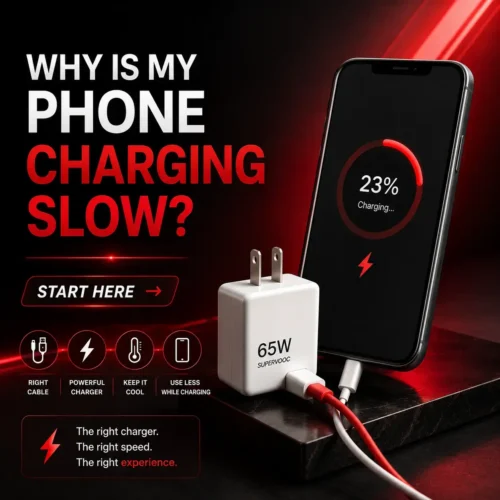
Table of Contents
Why Is My Phone Charging Slow? Start Here
Before blaming your phone or assuming the battery is dying, go through this mentally: when did the slow charging start? Was it gradual or did it happen overnight? Did you recently change your cable, charger, or phone case? Are you using the phone while it’s plugged in?
The answer to one of those questions is almost always pointing directly at the problem. Most people skip this step and end up replacing things that didn’t need replacing.
We’ve also written a detailed guide on whether fast charging actually damages your battery — worth reading alongside this one if you’ve been worried about long-term battery health.
Now let’s go through the actual reasons.
Reason 1 — Your Charging Cable Is the Problem (More Often Than You Think)
Cables are the number one cause of phone charging slowly and nobody talks about it enough.
Here’s the thing about cables — they degrade invisibly. The outside looks fine. The connector looks fine. But inside, the tiny wires that carry the current get damaged from bending, twisting, and being yanked out of ports at bad angles. Once that internal damage happens, the cable can still technically charge your phone — just at a fraction of the speed it should.
The easiest way to test this: borrow a different cable. Same charger, different cable. If your phone suddenly charges noticeably faster, you found your problem.
Also worth checking — not all cables are built equally. A cheap unbranded cable carries far less current than a proper USB-C cable rated for fast charging. If you’ve been using a random cable that came with some other device, that could easily be your culprit. According to USB Implementers Forum, cables have different current ratings and using an underpowered cable will always result in slower charging regardless of how good your charger is.
And while we’re on cables — there’s an important difference between original and fake charger cables that most people completely ignore. We broke it down in detail here: Original vs Fake Charger — Real Danger Buying Guide. Fake cables don’t just charge slowly — they can damage your phone over time.
Reason 2 — The Charging Port Has Lint in It
This one fixed my cousin’s phone in about 90 seconds and he’d been complaining about slow charging for two months.
Look at your charging port with a flashlight. Really look at it. Most people are shocked by how much lint, dust, and debris builds up in there — especially if you carry your phone in your pocket. That buildup stops the cable from connecting fully, which creates a weak or intermittent connection, which means power trickles in instead of flowing properly.
Do not use anything metal to clean it. A wooden toothpick works. A soft toothbrush works. Some people use a very gentle blast of compressed air. The goal is to remove the debris without damaging the pins inside the port.
After cleaning, plug the cable back in. You’ll often notice it seats more firmly than it did before. If your phone charging slowly problem improves immediately after cleaning, you just saved yourself a trip to a repair shop.
Reason 3 — Your Charger Doesn’t Have Enough Wattage
This is the one that confuses people most because the charger looks fine, the cable looks fine, everything looks fine — and the phone just charges slowly anyway. so why is my phone charging slow become the most asked question in world .
Chargers have wattage ratings. A basic 5W charger that came with an old phone will charge a modern smartphone at a crawl. Your current phone probably supports 18W, 25W, 33W, or even higher fast charging — but if you’re using a 5W charger, it doesn’t matter. You’re only getting 5 watts of power regardless of what the phone supports.
Check the small print on your charger. so you check why your phone charge slow . It’ll say something like “Output: 5V/1A” or “Output: 9V/2A”. Multiply those two numbers to get the wattage. If it’s under 10W for a modern smartphone, that’s your slow charging problem right there.
The fix is getting a charger that actually matches your phone’s fast charging spec. A good example is the OnePlus 65W Warp Charger — 65 watts means even a completely dead phone charges to 50% in well under an hour. That’s the kind of difference proper wattage makes. If you want to understand the technology behind it, Qualcomm’s fast charging explainer breaks it down clearly.
We also went deep on this topic in our guide on whether fast charging damages your battery — spoiler: a good fast charger won’t hurt your battery, but a bad cheap one might.
Reason 4 — You’re Using the Phone While It’s Charging
This sounds obvious once you hear it, but a lot of people don’t connect the dots.
When you’re watching YouTube, playing a game, or using GPS navigation while your phone is plugged in, the phone is consuming power at the same time it’s trying to charge. Depending on what you’re doing, you can hit a point where the phone is using power faster than the charger is supplying it — so the battery percentage actually drops even while plugged in.
Even if it’s not dropping, heavy usage during charging massively slows the net charging rate. Your screen, your processor, your GPS, your mobile data connection — they all draw power. A phone charging with the screen off in airplane mode will charge roughly twice as fast as one being actively used.
If your phone battery draining while charging is something you’ve noticed, this is almost certainly why. Put it down, screen off, and check the difference and you get the answer of your question why is my phone charging slow .
Reason 5 — Heat Is Slowing Everything Down on Purpose
Modern phones are smarter than people give them credit for. When a phone gets too hot — from direct sunlight, from being under a pillow, from being inside a thick case, or just from heavy usage — it deliberately slows down the charging rate to protect the battery.
This is a feature, not a bug. Lithium batteries are sensitive to heat and charging a hot battery at full speed causes faster long-term degradation. The phone throttles charging speed to keep the battery temperature in a safe range.
If your phone feels warm or hot when it’s charging slowly, that’s your answer. Take the case off — phone cases trap heat and removing them during charging makes a real difference. Move the phone somewhere cool and well ventilated. Stop using it while it charges. The charging speed will usually return to normal once the temperature drops.
iPhone users specifically dealing with charging issues should also check our breakdown of iPhone 16 charging issues — there are some model-specific quirks that are worth knowing about.
Reason 6 — Background Apps Are Quietly Draining Power
This one has a smaller effect than the others but it adds up, especially on Android phones where background apps have more freedom to run.
Apps running in the background — syncing data, checking notifications, updating content — consume battery power. While you’re charging, those apps are essentially competing with the charger. The net result is slower charging than you’d see with a clean background.
The fix is simple. Before you plug in, close background apps. On iPhone, swipe up from the home bar to see open apps and close them. On Android, use the recent apps button and clear them. Even better — enable airplane mode while charging. You lose connectivity temporarily but the charging speed improvement is significant. This is one of the fastest how to make phone charge faster fixes that requires zero equipment.
Reason 7 — Your Battery Health Has Degraded
This is the one people don’t want to hear, but it’s worth knowing.
Lithium batteries don’t last forever. Every charge cycle slightly reduces the battery’s total capacity and its ability to accept charge quickly. After 500-1000 charge cycles — which for most people is 2-3 years of regular use — the battery may charge noticeably slower than it did when the phone was new.
On iPhone, you can check this directly. Go to Settings → Battery → Battery Health. If it’s below 80%, the battery has degraded significantly and Apple will have already reduced peak performance to protect it. Slow charging is part of that picture.
On Android it varies by manufacturer — Samsung has a battery health check in its settings, other brands have their own tools or require a third-party app to check.
If battery health is the issue, the fix is a battery replacement. It’s cheaper than most people expect and it essentially gives the phone a second life. Apple’s official battery service page explains the process and pricing clearly.
How to Make Your Phone Charge Faster — Quick Fixes That Actually Work
If you want to speed up phone charging right now without buying anything new, try these in order:
Turn airplane mode on while charging. This shuts off all the radios — cellular, WiFi, Bluetooth — and removes a significant power drain. Charging time drops noticeably.
Turn the screen off and leave it alone. Screen-on time is one of the biggest battery drains on any phone. A dark screen charges faster, simple as that.
Take the case off. Especially thick or rubbery cases that trap heat. Charging generates heat, heat throttles charging speed, taking the case off lets heat escape.
Plug directly into the wall. USB ports on laptops and computers typically deliver 5W or less. A wall charger gives you the full wattage your charger is rated for.
Charge from 20% rather than letting it hit 0%. Lithium batteries charge faster between 20-80% than they do at the extremes. If you’re always letting your phone die completely before charging, you’re always starting in the slowest charging zone.
If you’ve tried all of the above and the charging is still painfully slow, the honest answer is probably your charger. The OnePlus 65W Warp Charger is one of the most capable options at its price point — 65W means genuinely fast charging that you’ll actually notice compared to whatever came in the box with your phone.
When Slow Charging Means Something Bigger
Most slow phone charging problems are fixed by one of the reasons above. But there are situations where it’s pointing at something more serious.
If your phone gets extremely hot during normal charging — not just warm, but hot enough to be uncomfortable to hold — that’s not normal. Stop charging and let it cool down. If it keeps happening, get it checked.
If the charging port feels physically loose, or the cable only charges in certain positions, the port may be physically damaged. That needs a repair, not a new cable.
If your phone charges fine from some chargers but not others, and you’ve already ruled out the cable, it may be a software issue. Try restarting the phone first — sometimes a software reset is enough. If the problem continues, a factory reset or OS update may help.
Does Charging Overnight Damage Your Phone?
Since we’re here — let’s kill this myth while we’re at it.
Modern phones stop accepting charge once they hit 100%. They don’t keep pushing power into a full battery. So leaving it plugged in overnight doesn’t overcharge it in the traditional sense.
That said, keeping a lithium battery at 100% for extended periods does cause a very small amount of long-term degradation. Some phones now have a feature called “optimized charging” or “adaptive charging” that learns your schedule and pauses at 80% overnight, completing the charge just before you typically wake up. If your phone has this — which most phones released after 2021 do — it’s worth enabling.
So phone charging slow overnight isn’t a damage issue, it’s just not the most battery-friendly habit. And if you’ve been wondering about this specifically, our guide on whether fast charging damages your battery goes into the full picture on what actually harms battery health and what doesn’t.
Related Reading From FusionsHub
If this article was helpful, these are worth checking out next:
- Original vs Fake Charger — Real Danger Buying Guide — how to spot a dangerous fake charger before it damages your phone
- iPhone 16 Charging Issues — What’s Actually Going On — specific fixes for iPhone 16 users
- Fast Charging Battery Damage — Is Your Charger Safe? — the truth about fast charging and battery lifespan
- Smartwatch Battery Life Tips — 7 Hacks to Save Power — if you’re also struggling with smartwatch battery drain
People Also Ask
Why is my phone charging slow all of a sudden? Sudden slow charging is almost always the cable or charger. Try a different cable first — it’s the most common culprit. If that doesn’t help, clean the charging port, try a different wall outlet, and check if the phone is running hot. One of those four things fixes the majority of sudden slow charging issues.
Why does my phone charge so slow even with a fast charger? A fast charger only works at full speed with a compatible cable. If you have a 25W charger but a basic cable that’s only rated for 5W, you’ll get 5W charging. Make sure your cable specifically supports fast charging — it should say so on the packaging or have markings like “USB-C 3.1” or “60W rated.”
Is it bad to use your phone while charging? It’s not dangerous, but it slows charging significantly and generates more heat than charging with the screen off. Heat during charging causes more long-term battery degradation than almost anything else. For daily charging it’s fine occasionally, but if you want to charge fast and protect battery health, put the phone down screen-off while it charges.
Why is my phone battery draining while charging? This means you’re consuming power faster than your charger is supplying it. Usually happens with a low-wattage charger or while doing something intensive like gaming or GPS navigation. Switch to a higher wattage charger, reduce what you’re doing on the phone, or both.
How can I make my phone charge faster without buying anything? Enable airplane mode, turn the screen off, close background apps, take the phone case off, and plug into a wall outlet rather than a computer USB port. Doing all five together will noticeably reduce charging time compared to charging while using the phone normally.
Why is fast charging not working on my phone? Fast charging requires three things to work: a fast charging-compatible phone, a fast charger with enough wattage, and a fast charging-rated cable. If any one of those three is missing, you won’t get fast charging. The cable is the most commonly overlooked piece — many cables look identical but are only rated for basic 5W charging.Check why is my phone charging slow
How long should a phone take to fully charge? A modern smartphone with fast charging should go from 0 to 100% in 1 to 2 hours with the right charger and cable. Without fast charging, expect 2.5 to 3.5 hours. If yours is regularly taking 4+ hours, something in the chain — cable, charger, port, or battery — needs attention.
Slow charging is usually a charger or cable problem — and both are an easy fix. Check out the OnePlus 65W Warp Charger if you want charging speeds that actually match what your phone is capable of
One thought on “Why Is My Phone Charging Slow? 7 Real Reasons (And How to Fix Them)”